


How I made my millions protogen
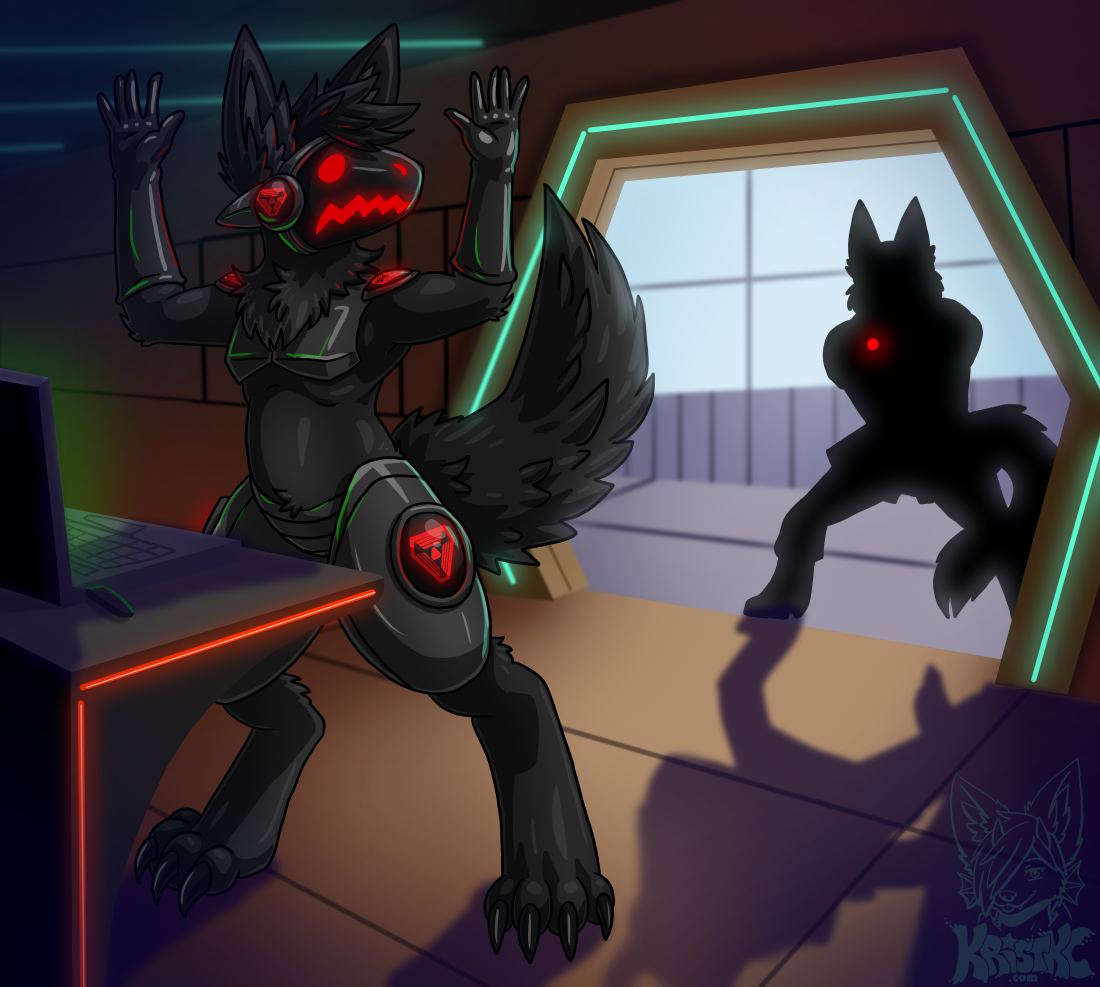
Quirk, as drawn by TheKC aka KristKC
Last update: 2023/09/09
What is a protogen?
Protogens are a fictional cyborg species created by Malice-Risu. They are genetically-engineered fluffy bipedal creatures with surgical modifications including cybernetic implants. They have chest and hip armour permanently grafted, providing hardpoints for their limbs which are plug-and-play.The most prominent feature is visor grafted over the face which allows the creature to see out but displays a simplistic expression on it.
Protogen fursuits are one of the more popular examples of electronics in costuming, since the display showing the face is relatively easy to construct and there are many guides on doing this.
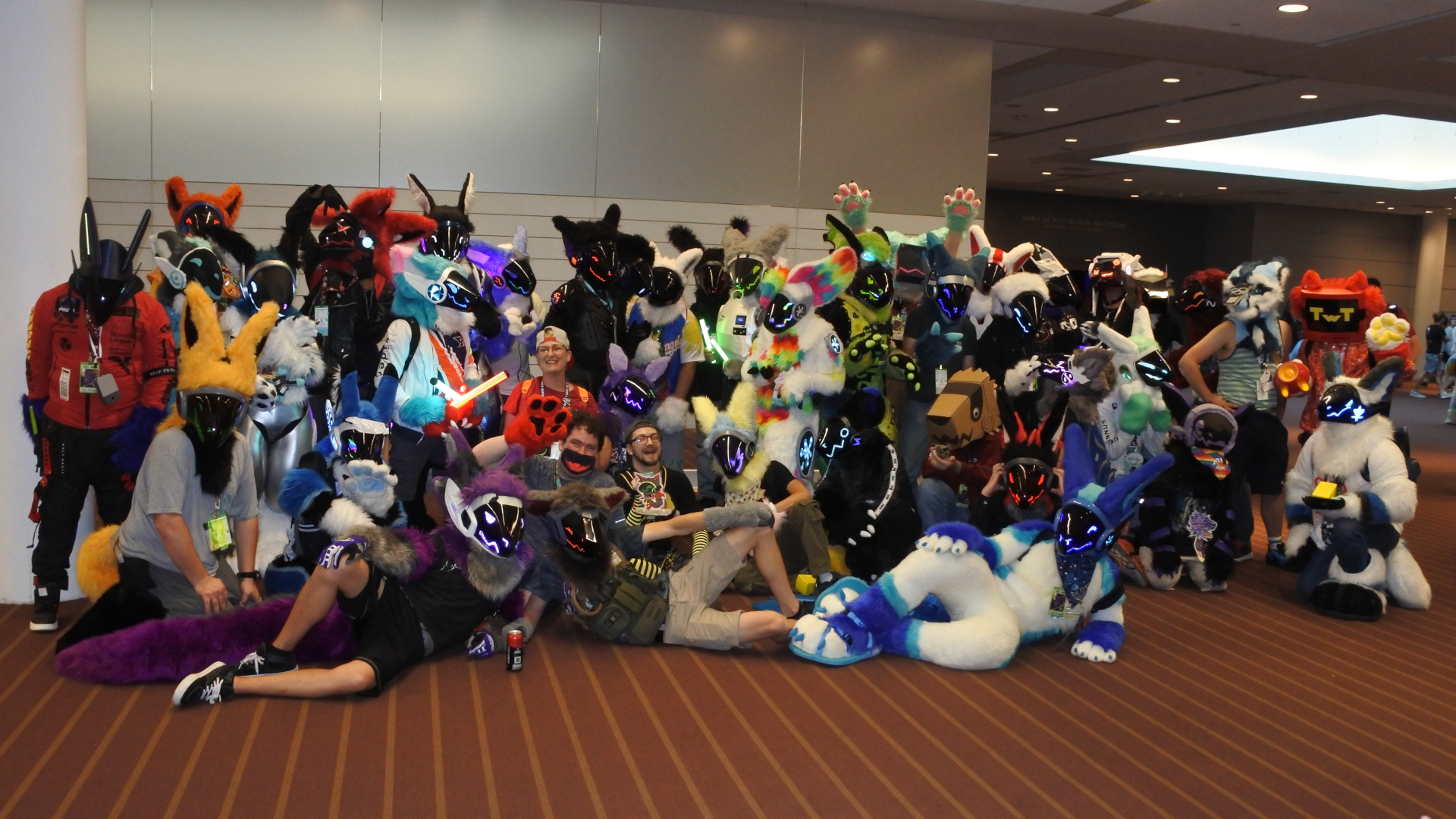
Building a protogen
For quite a few years I've wanted to build a protogen costume. I think I saw my first one at Anthrocon 2018, and later at Confuzzled 2019 someone brought theirs in as part of a maker's meet - a show-and-tell of costumes people had built, and how they made them.Around that time Sofox decided he would build one of his own and I watched that project develop with interest.
First steps
Around 2019 I got into Synths, which are similar to protogens but entirely robotic and more dragonlike.PIC: Synths vs Protogens
Arthi at Raptor's Den had an ongoing project to construct a Synth fursuit and I watched this with keen interest.
Because of this I ended up designing the eye software to run these and during the course of that project ended up with a variety of displays while trying to figure out the best approach.
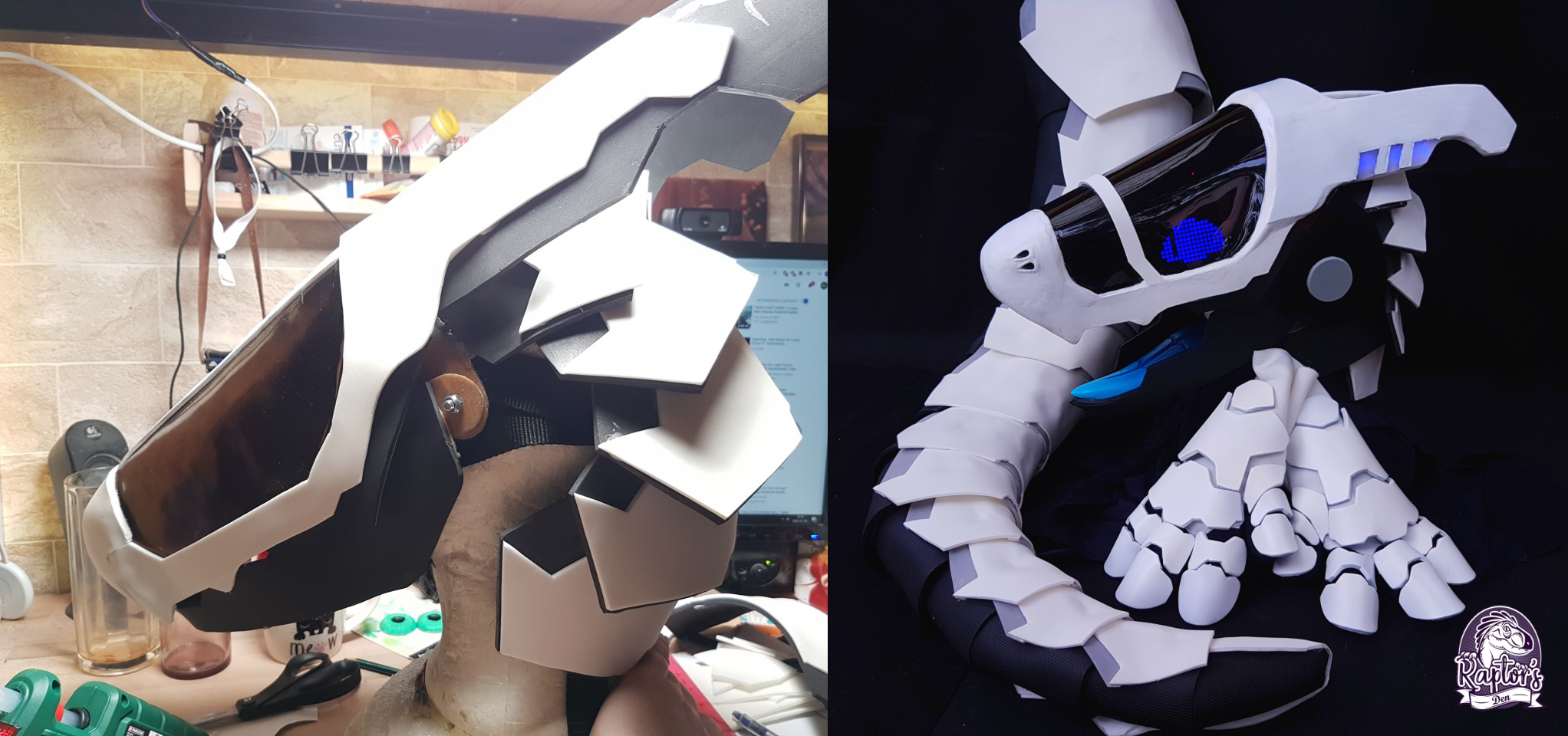
Images courtesy of Raptor's Den
TODO: Describe MAX7219 in detail, show alternatives such as neopixel grids, Hub75 panels etc.
But I digress.
At the time, Arthi was struggling with the visor design for the Synths, so I ordered a protogen visor from Kaiborg to play with and see whether it might be possible to cut it up and sink it into the Synth's nose.
It was too short for a Synth's long snout, so I put the visor aside. In the meantime, it proved useful for a few experiments, to give me some idea of how the synth eyes were likely to function under the visor.
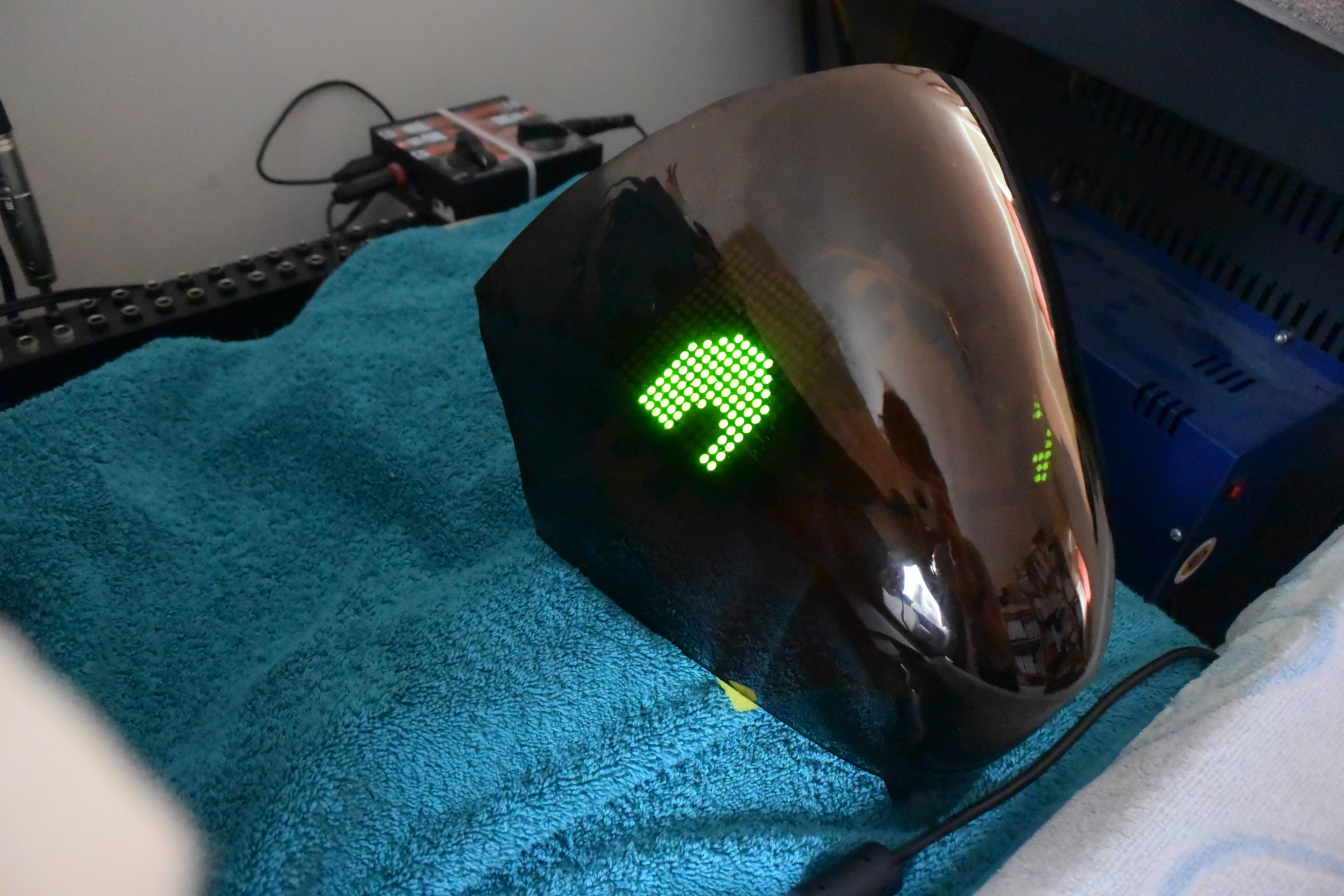
Additionally it helped me decide that LCD displays weren't a great fit for Synths (or protogens, for that matter).
Too much light leakage even in normal lighting, and it only looks worse in the dark.
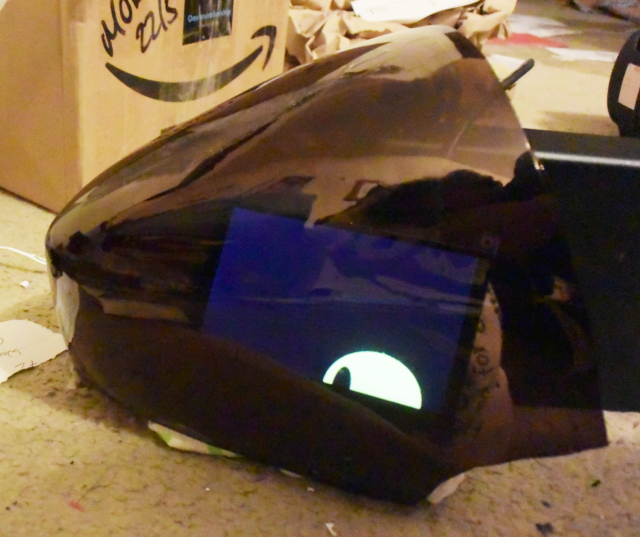
Finally, it was kind of fun to stick it onto a fursuit for giggles.

Electronics
Anyway. Around fall 2020, with Sofox' protogen project in full swing, I noticed that Kaiborg were doing a Christmas sale and ended up buying a kit from them. This consisted of the helmet (printed at 0.3mm pitch), plus an inner visor to support the display electronics.While this was being printed and shipped, I adapted my Synth software to drive a protogen face instead. While the Synth has a mechanical jaw and only needs the eyes to be displayed (8 matrices), the protogen has an entire face, and almost double the number of matrices.
At this point I made a key mistake.
Firstly, I was under the misaprehension that the MAX7219 chipset could only drive 8 matrices on a single row. The datasheet implies this but is actually talking about a setup where it is driving 7-segment numerical displays. When running in bitmap mode, you can chain as many of them together as you like.
To work around this assumed limit, I started with a brute-force approach of literally having two Arduinos, each driving one side of the face and using a single data line to act as a sync signal. This way, one of the two CPUs would be in charge and the other would be listening for a signal which would cause it to blink. Each CPU had a different eye display during boot to tell them apart - one had a hollow square and the other had a smaller square inside it.

This is the software and hardware combination that was installed in the protogen when it finally arrived. Unlike the protogen at the Confuzzled Maker's Meet, it was my intention from day one that the entire system should be able to run off a simple 5v powerbank. This makes it easier to fly with than a custom battery pack full of Li-ion cells that is designed to be jettisoned at a moment's notice if it starts to feel warm (actual conversation at CFz19 Maker's meet).
The dual Arduino approach worked okay for the most part, though if something glitched it could cause the protogen to wink instead of blinking. However, I eventually realised that it could be done using a single Arduino to drive both faces, by using two CS pins to allow each face to be addressed separately.
This simplified the wiring considerably, and also allowed for more complex expressions without the risk of the receiving unit missing a signal to switch sprites or something. This allowed for fun things like the protogen randomly flashing the word "KiLL". Though I was eventually able to optimise the software even further.
Note that the circuit topology was such that the panels were wired in a loop, with a break for the CS and DIN pins to isolate the two halves of the face. This had a few reliability problems in that the voltage had dropped considerably by the time it reached the last panel. To improve reliability I ended up with power being delivered at both ends of the loop, i.e. two +5V connections at either end of the chain, and two ground connections feeding back to the power source. This reduced glitching significantly, but did require a dedicated power distributor made from stripboard. It took 5V in from a powerbank, and then sent that to the LED matrices, the fan, the Arduino and various other devices such as the RFID reader and cheek panels which we will look at shortly.
Visor
Once the helmet arrived, I padded it with firm sponges from a DIY store to make it fit my head comfortably and installed the electronics into it. This was a mistake, since it made my life a lot worse when painting the thing. Still, it gave me something to wear.

The next step was to cut the visor to shape.
I had cheaped out by buying the uncut visor, which does have a line scored into it for you to follow. After a lot of dithering I used hairdresser's scissors and gave it my best attempt, which turned out not to be good enough. Following a line like that with scissors is easier said than done. It might be worth springing the extra cash to get this done right by Kaiborg themselves - that said, nobody is likely to notice anyway.
So, having cut the visor poorly it didn't quite line up with the helmet. This left me in a bit of a funk for a while, and I considered that I might have to buy a replacement one.
...Until I went back to the pictures of Nybble, the protogen at Confuzzled.
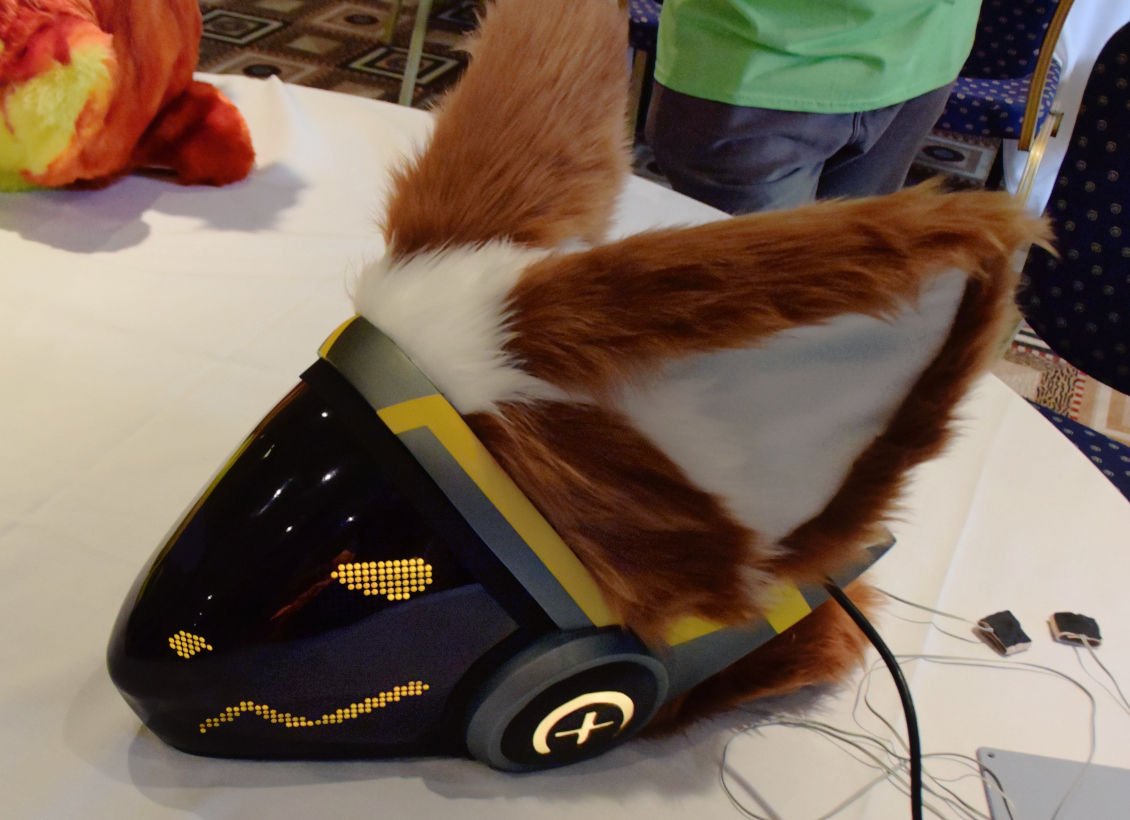
Looking at it more closely, I saw what appeared to be a band of electrical tape across the top of the visor where it meets the helmet.
Maybe it was just for show, but it would also be a good way to cover up mistakes made when cutting the visor to shape.
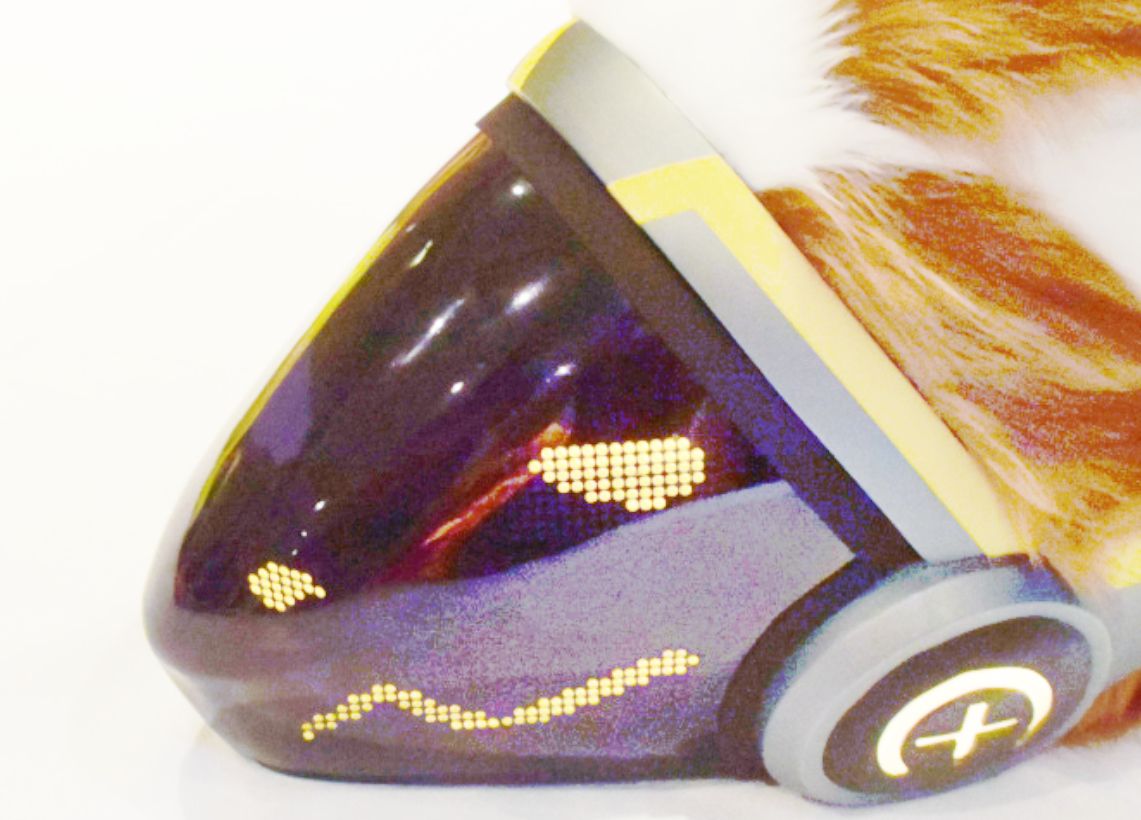
This cheered me up somewhat, since if even a great-looking protogen build can have subtle flaws, I didn't have so much to worry about.
So I got back to work. The next problem was how to attach the visor to the helmet. While electrical tape might work for that too, I wanted it to be removable to access the electronics for servicing.
My first attempt used velcro, but this didn't work so well - it had far too much play. I went with magnets in the end, but this was not without its problems either.
While the magnets can go easily on the inner visor frame for the electronics, you will need some pretty serious glue to keep them from coming off with the visor. Hot glue can work, but it's advisable to wrap the magnets in electrical tape first to give them some degree of insulation, as neodymium magnets are very sensitive to high temperatures and directly hot gluing them is likely to ruin them.
Doing this also provides protection for when the visor mates to the magnet, since rare earth magnets are brittle and may shatter if they snap together too hard.
What I eventually did was have two magnets per side - one wrapped and hot-glued, and another one superglued on top.

Once the helmet has magnets on it, you will need something on the visor itself for the magnets to attach to. I used cage nuts intended for a 19" equipment rack.
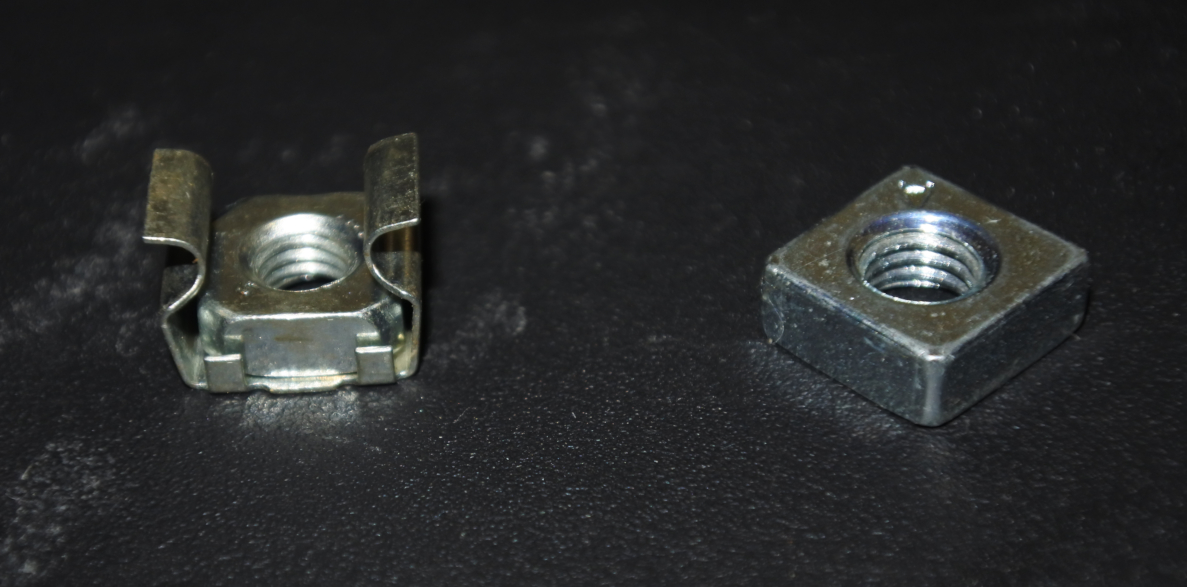
Extracting the square nut from the cage and wrapping it in black gaffer tape to make it less visible is probably the best approach.
The difficult part is keeping them glued to the visor since it is smooth plastic. Sofox used epoxy resin. With DJ TechSane, the builder put a piece of duct tape or suchlike over the fixing to provide two tabs like a sticking-plaster and glued those to the visor.
The tricky part is finding the best location to actually place the cage nut, washer, magnet or whatever you are using. Since the magnetic field is a particular shape, there are optimum points where the nut needs to be placed, especially if you're using magnets on both sides.
PIC: fastenings
It may be best to place the nut etc directly on the magnets, and then hold the visor in place. Using a bright light source, you should hopefully see the position of the nut through the visor, and can then mark it with a felt-tip pen or something. This will give you the best position to glue the nut to, and the mark can be wiped off later with isopropyl alcohol.
Roughing the surface of the visor slightly before gluing may help it stick better - either way, I try to avoid taking the visor off unnecessarily just in case the nuts (or magnets) detach from the visor.
WARNING: If using epoxy resin, the label will suggest using acetone to remove any excess or spill before it dries. That will indeed dissolve the epoxy, but it will also dissolve the tint from the visor! Instead, wait until it has started to harden and scrape it off.
Override
At some point I had ordered a "Protogen Override Key" from IllumiNation cyberware. This is a prop, but I figured it would be a lot of fun if I could make it actually work. I ordered an RFID module and some compatible tags. The RFID reader was put in the protogen's nose, with a secondary Arduino to drive it, and a small tag was fitted inside the override key, which was held together with bolts.When the override key was placed over the protogen's nose, they would go into shutdown.
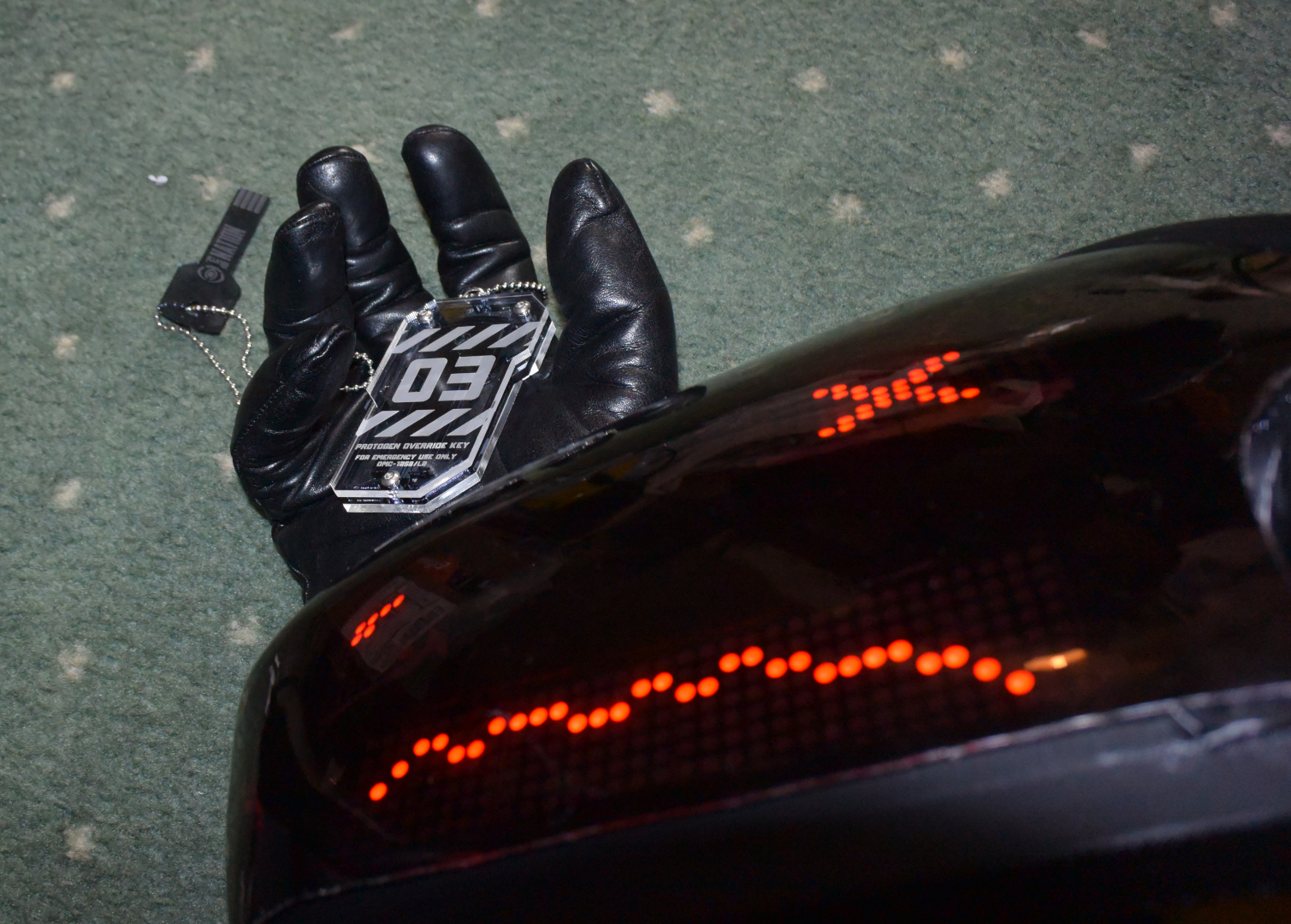
I also had an RFID tag on a keychain that could be used to reset him after this happened.
Cheeks
Around this point I started looking at making cheeks for the protogen. There was a problem with this - apart from the vague idea of "Glossy black with red eyes" I didn't have a character in mind and was just building the protogen free-form.But the cheek logo would need a concrete design, since I would most likely have to make a mask displaying the symbol.
By this point it was evident that the protogen build was going to be a bit wonky, and the "KiLL" thing didn't help either. I started to make this part of his character, and this led to a few possible designs, such as a generic warning sign (Danger, mad protogen), or perhaps a tunnel diode. Many protogens have circuit or logic symbols on their cheeks and the tunnel diode is a subtle way of hinting at this since the component was allegedly discovered by accident when a production run of diodes failed.
Eventually I hit on the idea of giving him the Trioptimum logo from the System Shock games - crazed cyborgs being a recurring theme in those games. This idea stuck, so I designed and 3D-printed a mask which could be illuminated by an electroluminescent disk with a red filter.
My first plan was to make a positive mask so that I could spray black paint onto the red filter gel and thereby end up with a negative so just the symbol shows through.
This did not work terribly well, as a 3d-printed stencil can delaminate when painted and the three-dimensional nature of it makes it difficult to accurately stencil fine details.
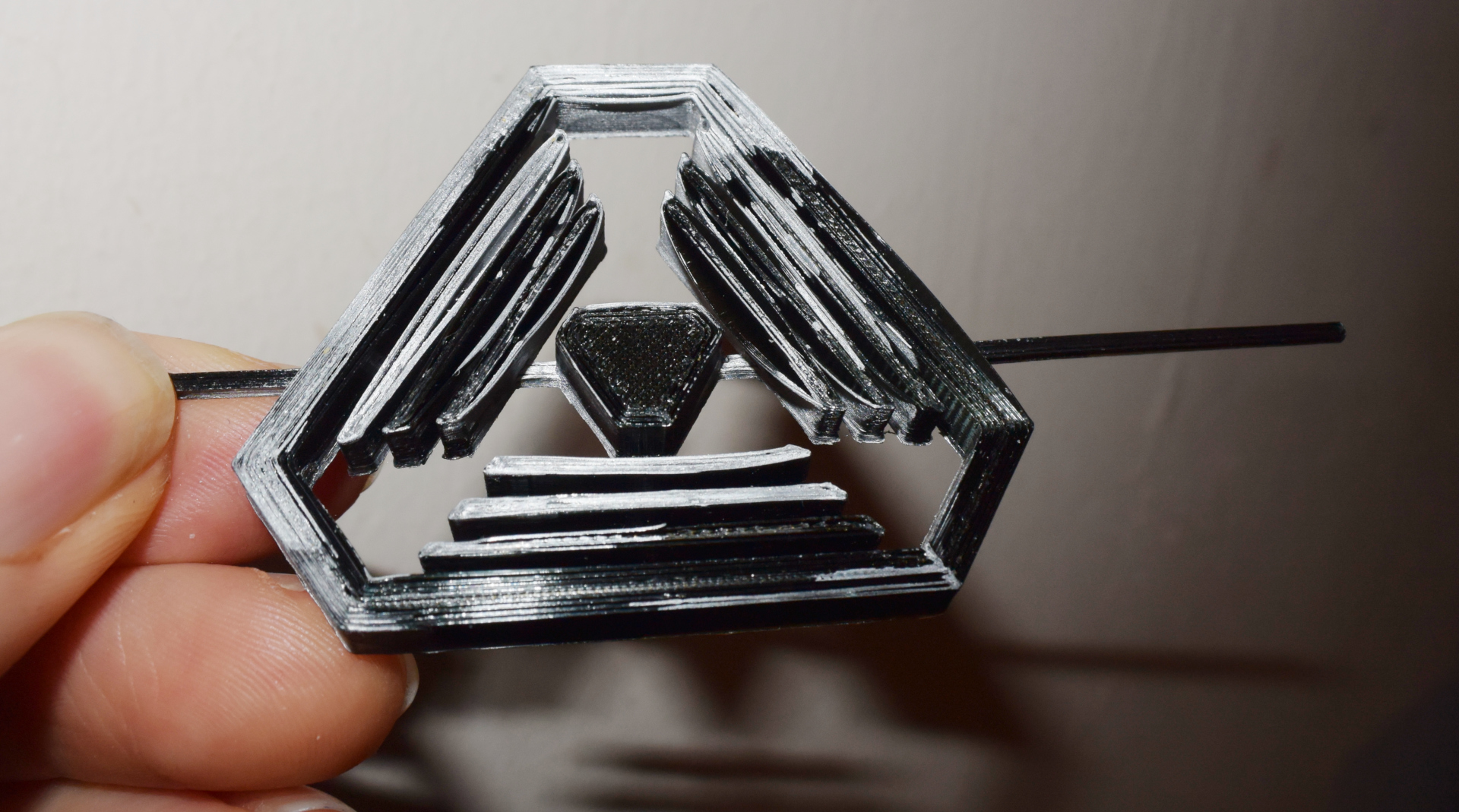
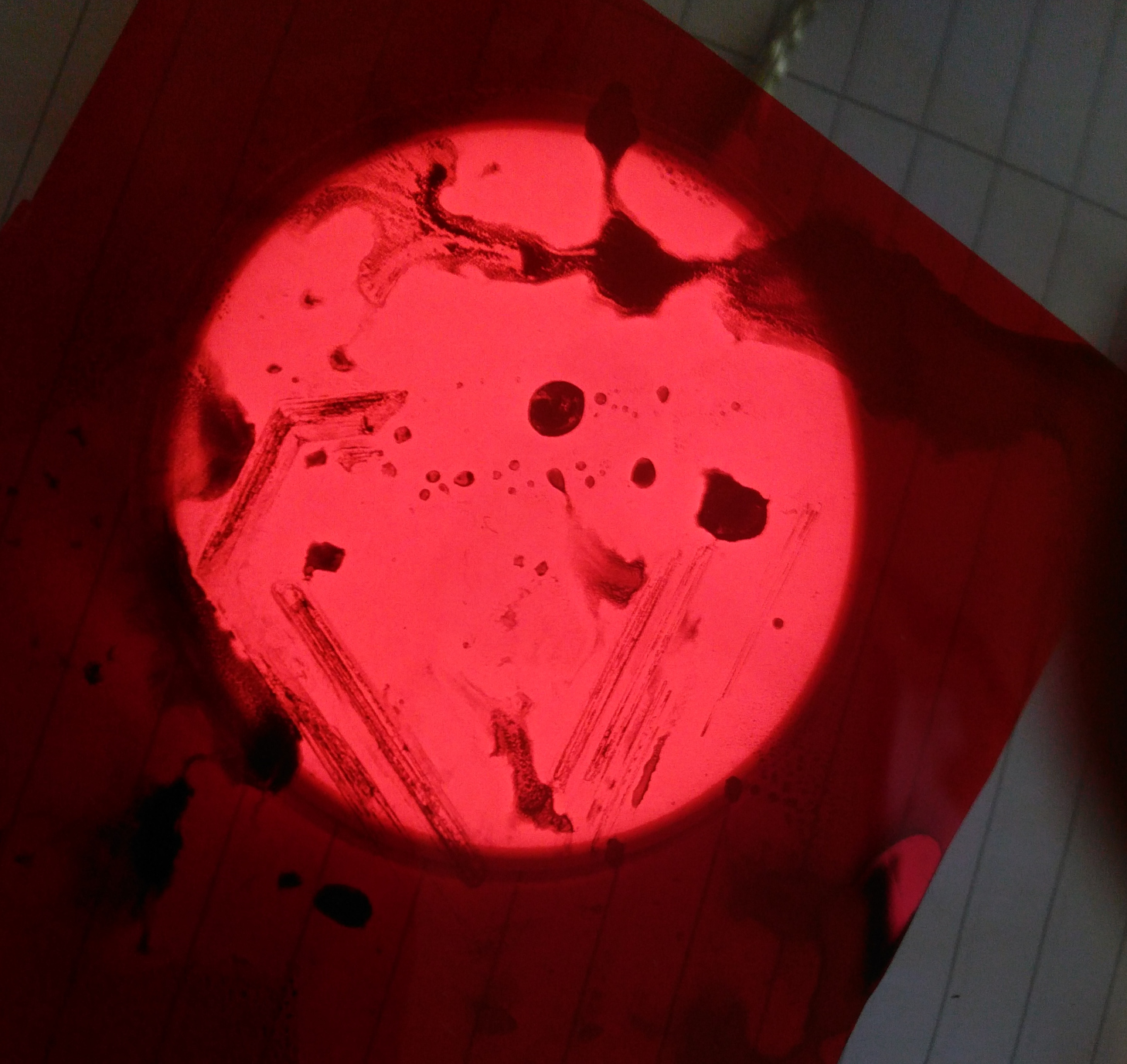
All in all it was a bit of a disaster, though it did produce quite interesting results where the paint blobbed over the red filter gel, resulting in a terrifying protogen symbol consisting of ominous splatter.
My next plan was to 3D-print the mask itself, the idea being that it would be placed in front of the light source.
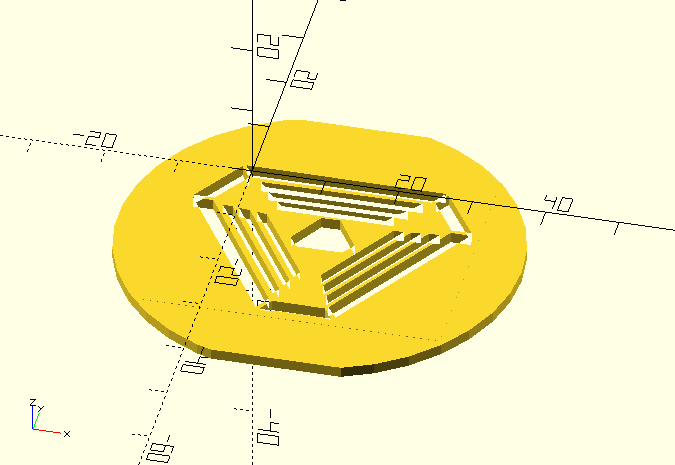
While this worked fairly well, I was still undecided about what symbol to actually use, since the triop logo was intended as more of a stopgap until I'd figured out something a bit less derivative. Making an image mask that can easily be swapped out wasn't the easiest thing in the world.
Smart Cheek Displays
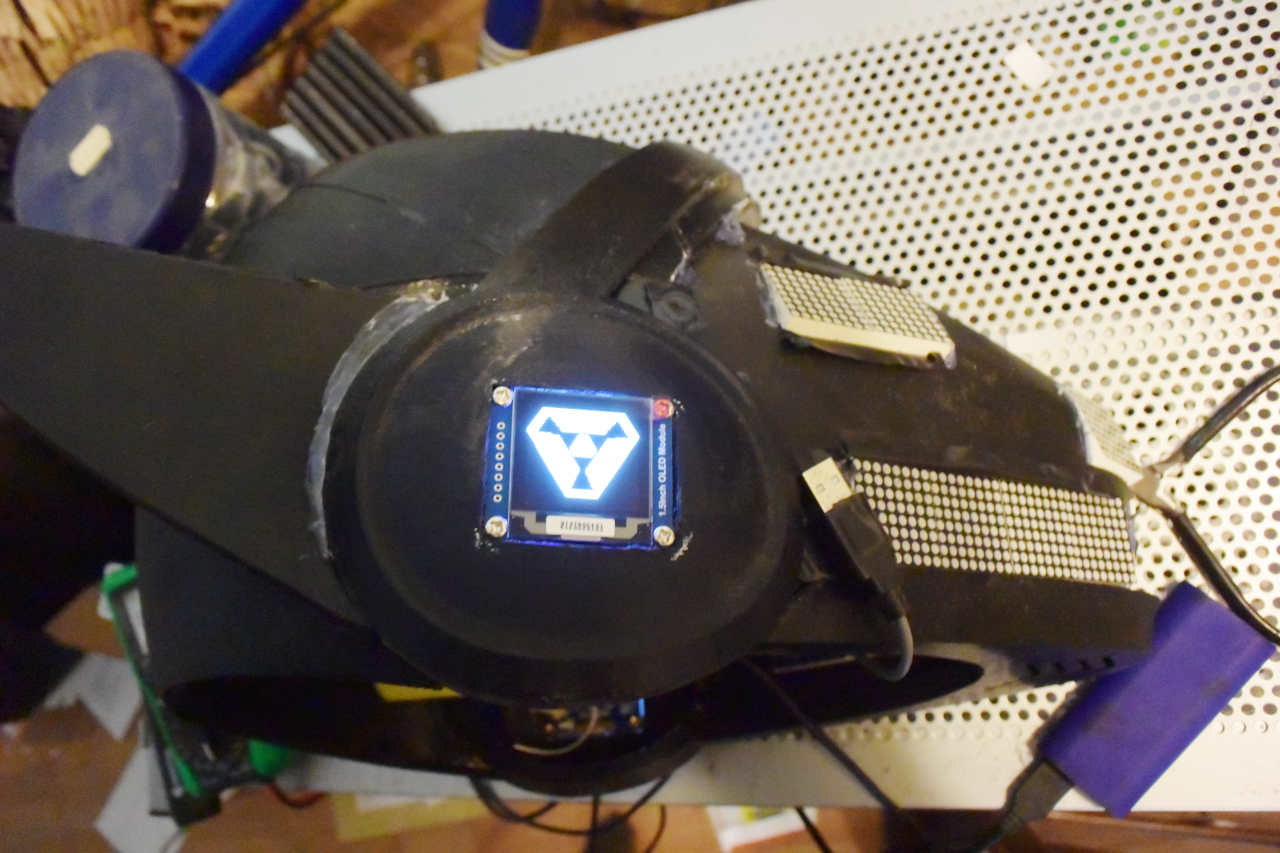
I went back to the drawing board and then hit on the idea of making the symbol reprogrammable. I bought some IPS LCD panels but these did not work at all well as the viewing angle was awful. To make matters worse they were portrait displays, which meant that in the landscape orientation I'd intended, they would only view properly above or below the protogen - when viewed from the front or behind, they looked terrible.The next option was OLED displays. These don't have viewing angle problems, but unlike LCD displays, it wasn't possible to get any in the 2-3" diagonal range. Eventually I settled for white 1.5" OLED displays. These needed rectangular holes to be cut into the cheek with a Dremel, and also a dedicated processor for displaying an image.
I used a custom stripboard device here, using the bare Atmega328Pa chip (basically an Arduino on-a-chip)to control these. Stripboard made it easy to double up the data lines and thus send the same display data to both OLED screens at once.
I could not find red versions of the OLED display, so I used white and a red filter gel again. This worked, but did make the displays a lot dimmer. In addition they had a tendency to crash on startup until I added a 47uF capacitor to the power rail to act as a filter.
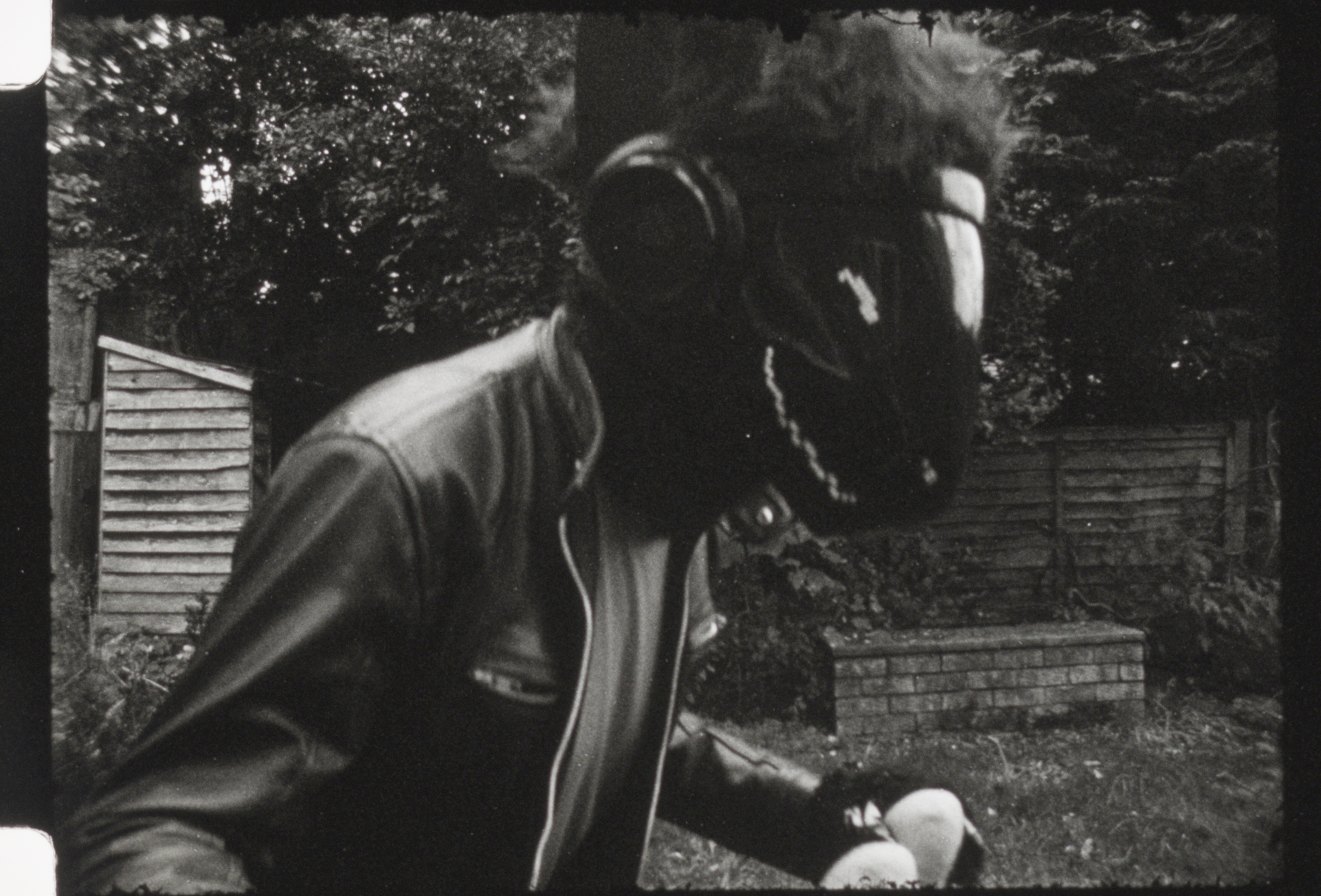
It is interesting to note that the red filter gel falls neatly into the red light used for darkrooms.
Thus, when I wore the protogen while testing a vintage camera with Fomapan 100R film, the face display came out perfectly, but the cheeks did not.
Cheek Covers
Having a display in the cheeks is well and good, but you don't necessarily want to see the workings of it. Hence, I also needed to put some kind of tinted cap over the displays.This is easier now as Kaiborg sell versions of the helmet with hollow cheeks, and also caps of their own to go over them. However, I didn't have that luxury so I had to make my own.
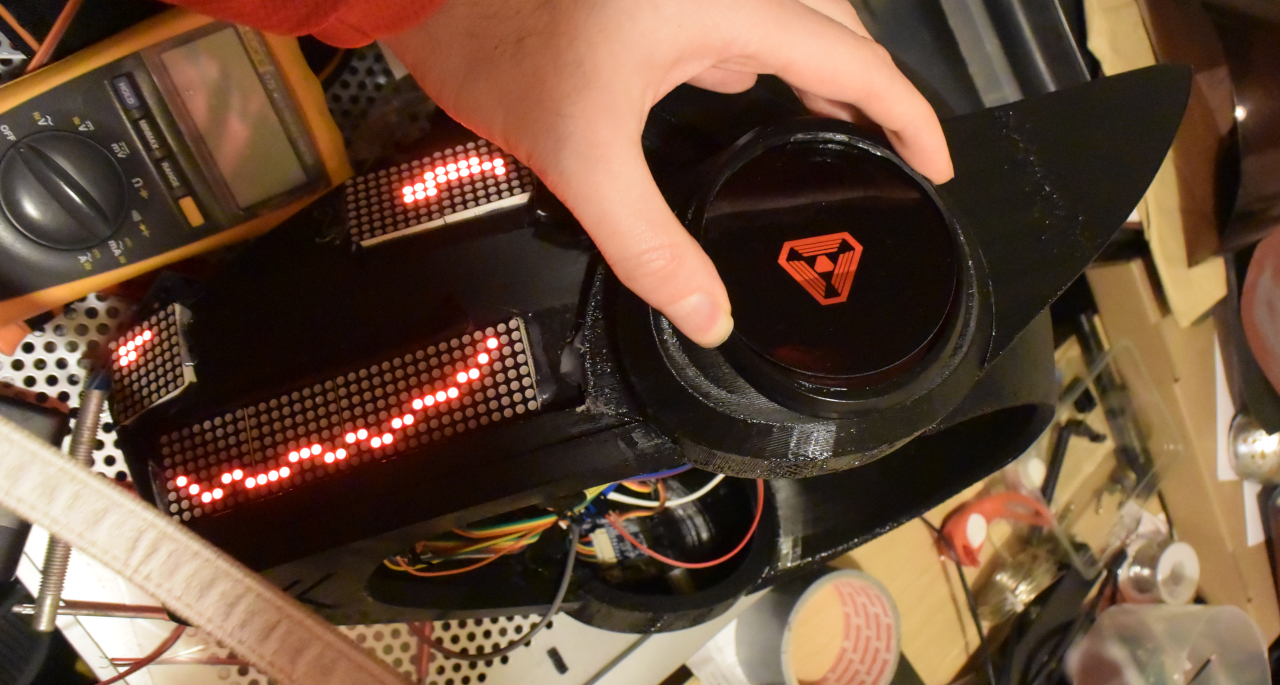
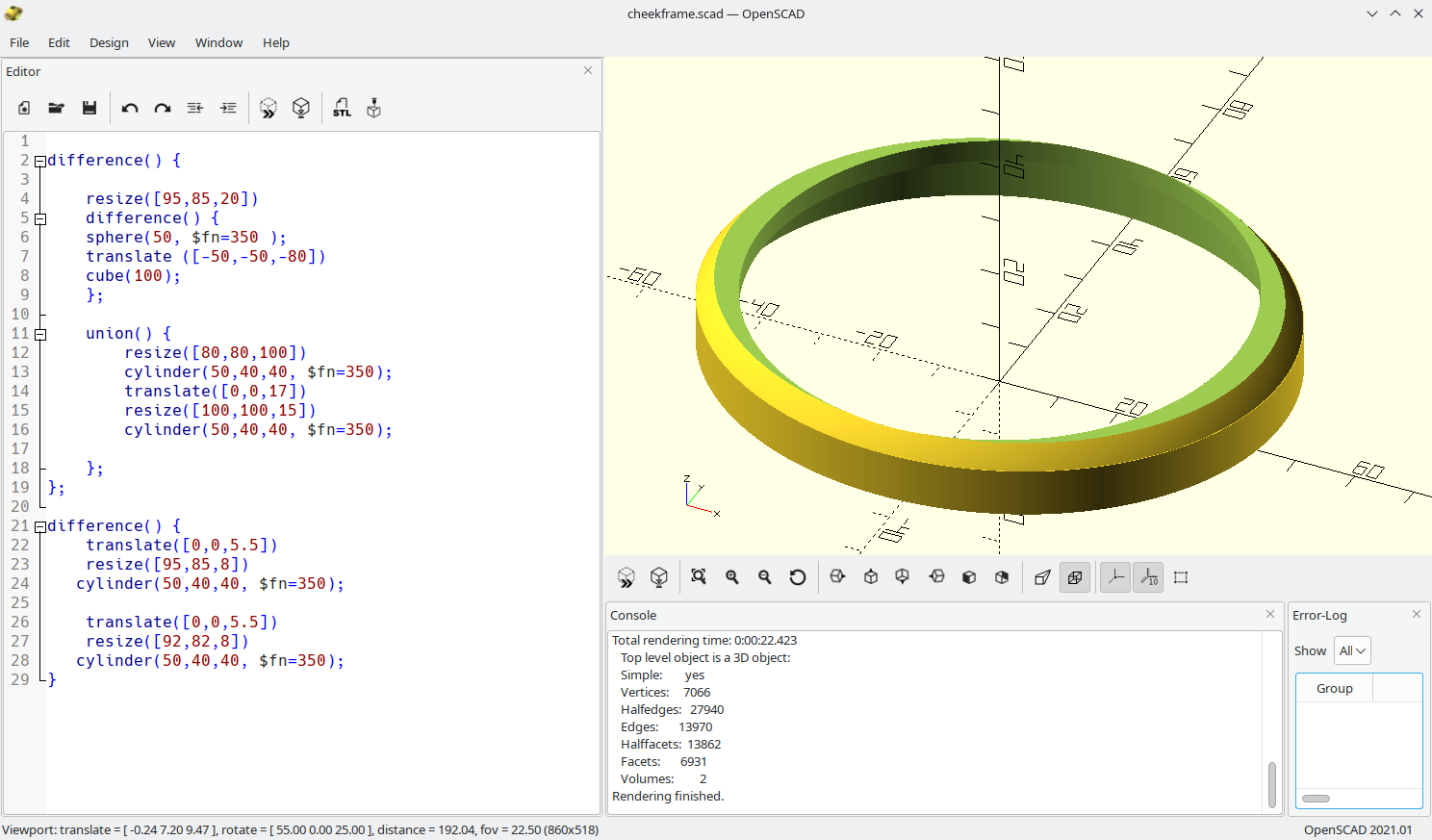
The frames I designed in OpenSCAD and 3D-printed. The tinted windows were 8cm discs of smoked acrylic that I bought from a plastics company via ebay. These can be hot-glued to the frame.
On the subject of hot glue, I would strongly recommend getting black hot glue sticks for parts which are hidden under the visor or otherwise not intended to be seen. White hot glue has a tendency to fluoresce under UV and lights up like a beacon. This can look "interesting" if you take the protogen onto the dance floor, but it also made the hot glue inside Quirk's cheek panels look very obvious in sunlight, until I reworked them with black hot glue.
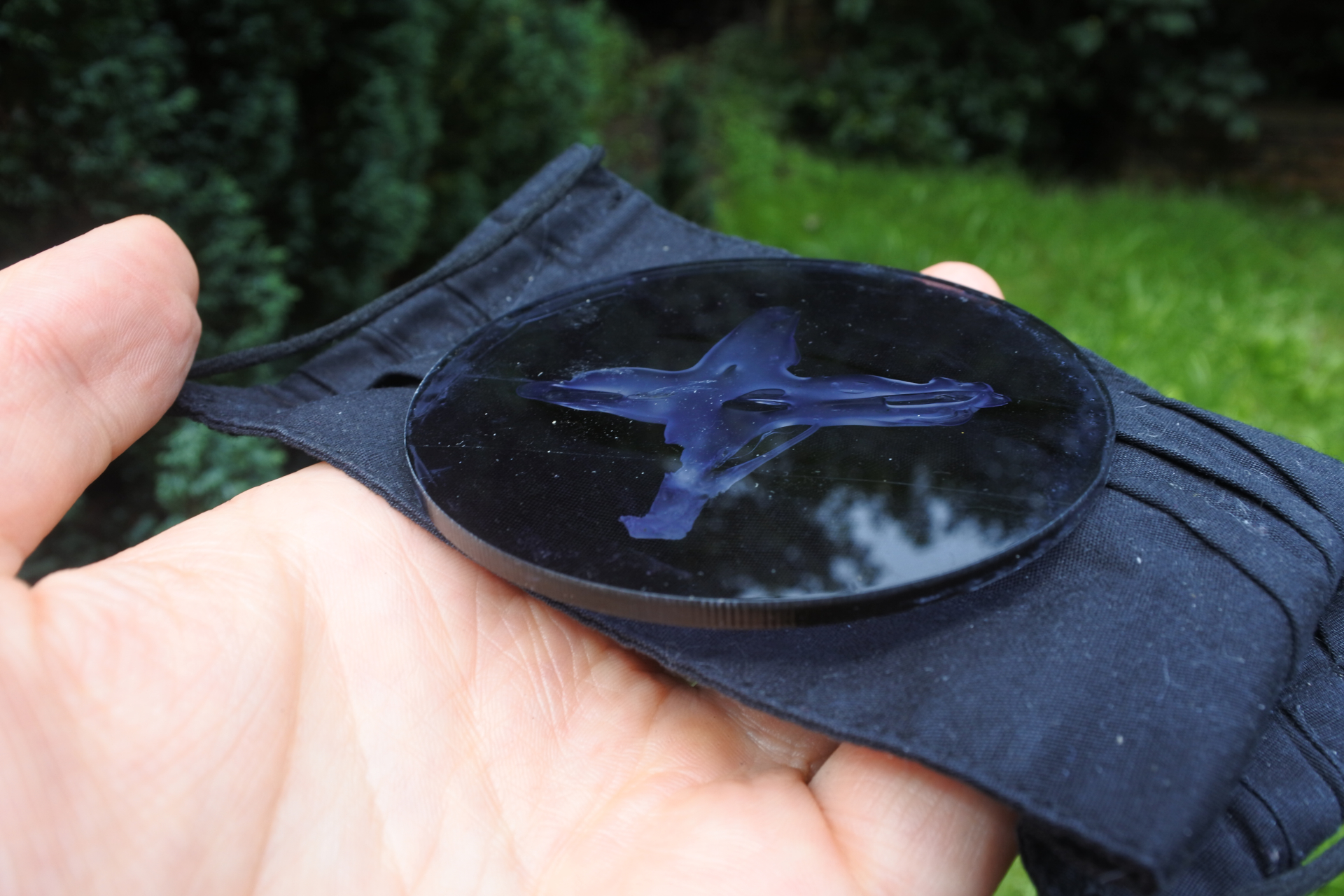
Fixing the covers to the cheeks in such a way that they can be removed easily for repair is a tough one. Velcro has a lot of play and also the sticky backing tends to come away from the plastic easily, but otherwise seems to be the best solution so far. Magnets take up too much space and cause the cover to protrude too much.
As of this writing I'm still working on it.
Ears
So far I had a bald protogen with no ears but working face and cheek displays.I must admit I got into a bit of a trap of trying to perfect the software, since that was the part I was best at, and procrastinating over the fact that there were still three major tasks left to go - making the ears, painting the helmet and furring it.
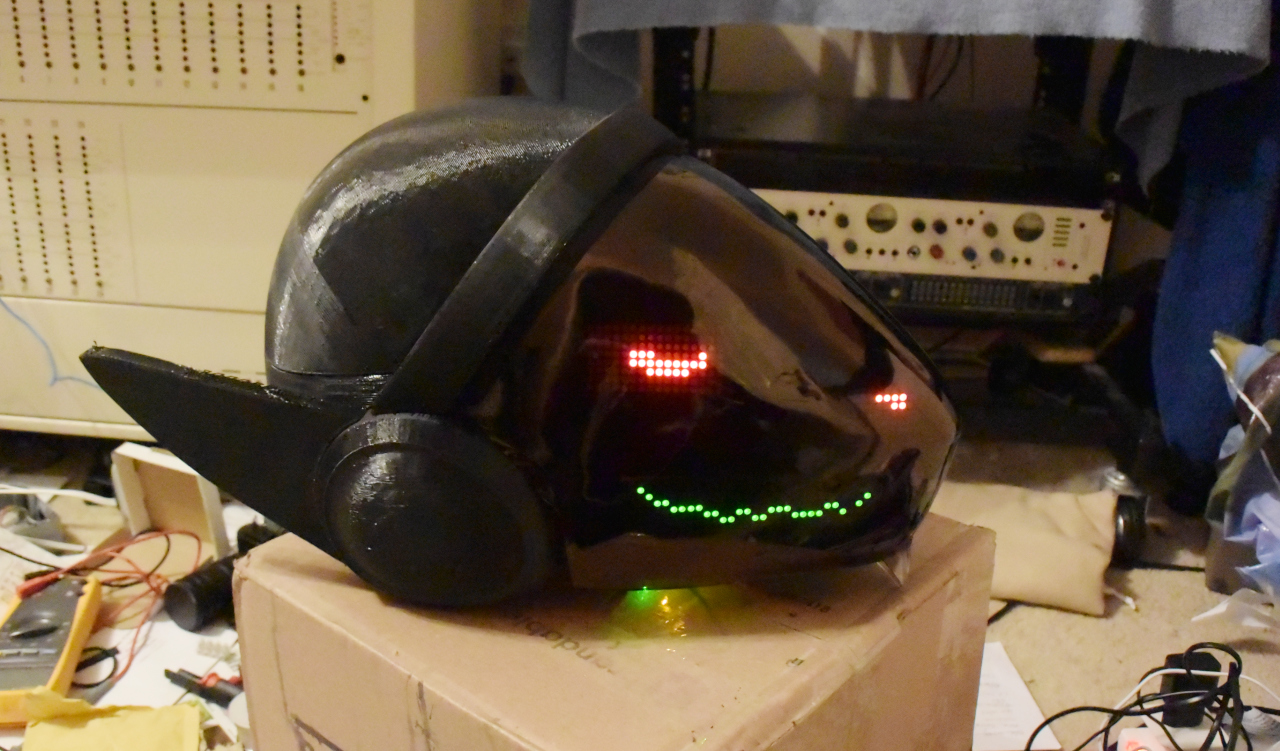
While it was tempting to try and find someone who could take the protogen as it was and fur it, it would not be fun to have to ship it like that and it didn't seem like there was anyone offering such a service anyway. So I figured I'd have to try it myself.
I bought some suitable fur - short black fur for the ears, and some long-pile fur to act as hair. I bought some 1" upholstry foam and purchased a canine fursuit head pattern from Etsy so I could use the ear patterns.
Note - the one golden rule when working with fur is to make sure that it runs in the correct direction! Faux fur has a natural direction that it wants to be brushed in - make absolutely sure that the pieces of fur are cut and arranged such that you brush down the ears and the fur is all smoothed down rather than being ruffled up.
I drew the patterns out, carved the foam and then, after a lot of procrastination, furred them. I am terrible at sewing and in desperation ended up hot-gluing the fur onto the foam ears, tucking it over to avoid any seams showing. The tips of the ears were the worse part and to this day I'm not happy with that part of them.
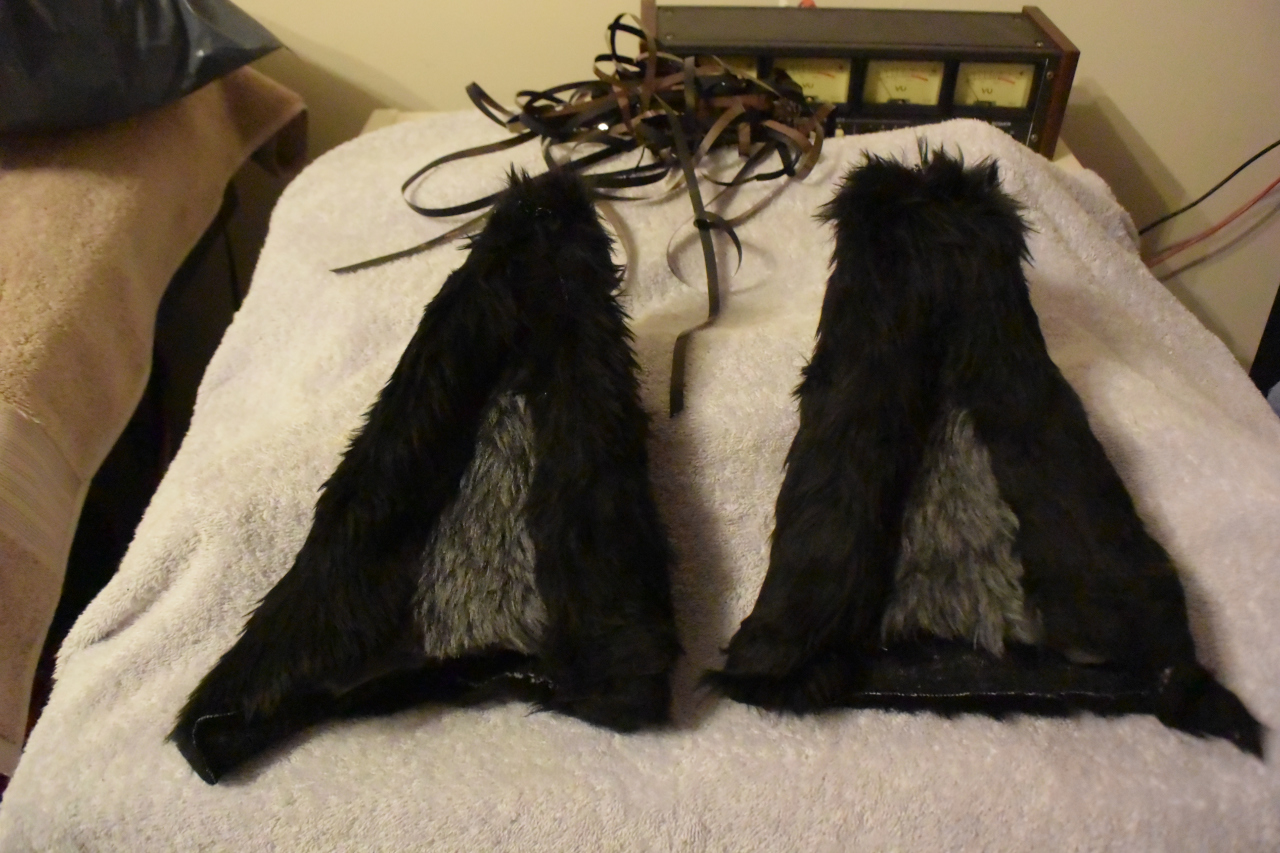
In addition, the ears were slightly mismatched, smaller than usual for a protogen and rather more triangular than I'd hoped for. But I had done them as my first foray into fursuit building, and they would have to do. I made sure there were long tabs of fur out the bottom of the ears so that these could be hot-glued to the helmet to provide support and basically hold them in place. By this point the "broken protogen" chic had definitely set in.
However, before the rest of the fur could be applied, the protogen had to be painted, and before it could be painted it would have to be smoothed. And this was a major sticking point, such that the protogen sat around unfinished for around 18 months, until after Confuzzled 2022 when Sofox debuted his own protogen. Talking to Chip encouraged me to finally make a go of finishing it, and eventually I gave myself a one-week deadline to get the damned thing sorted.
Painting the helmet
The recommended approach for treating a filament-printed Kaiborg helmet (as per Kaiborg's own instructions) is to get some car body filler - Sofox uses Isopon P.38 - and spread it thinly over the helmet. When it's dried and cured you can sand it down, spray primer on it, and sand that down in various iterations until it's completely smooth and then spray-paint it.The car body filler has terrifying warnings on it such that if you so much as look at it funny it'll make you go deaf, and this is probably one of the reasons I was hesitant about doing the finishing work on the helmet.
It is worth mentioning that Kaiborg now sell resin-printed helmets that are very smooth and can probably be given just a coating of regular primer and paint. However, they are a lot more expensive and I had made the purchase before those were offered as a product anyway.
So, in the end, with a self-imposed deadline to get the protogen finished during my week off work even if it looked like crap, I put the car body filler back in the cupboard, and used spray cans of Hycote high-build primer instead.
Repeated layers of this will build up a layer of resinous grey stuff that can then be sanded down, much like the car body filler but with a lot less hassle and deafness involved. I rushed it a little perhaps, but in the end it was mostly sanded down smooth enough.
It is worth mentioning that you don't need to smooth the entire protogen since the back of the head will be covered in fur anyway. The crucial parts are the forehead strip, the bottom of the helmet, the cheeks and the fins, and to be honest, if they're a little rough nobody is likely to notice it anyway.
Certainly, the forehead strip was slightly more angular than I'd hoped for but it did the job.

To recap, because I had the electronics down pat, assembling those and gluing the inner visor into place was pretty much the first thing I did. I repeat - DO NOT DO THAT. This was a mistake, since it then meant I had to cover the displays with masking tape and clingfilm to stop the primer and paint getting on them. This did not quite work and I had to rearrange the displays slightly to compensate for traces of primer on some of the LEDs towards the edge.
In addition, when the masking tape came off, one of the OLED displays quit and would only display the left half of the screen for reasons I was never able to determine.

Anyway, it was done. The protogen helmet was painted and left to dry for a day or so.
Furring the protogen
The last step was furring the protogen.The correct way to fur a protogen is to carefully measure the helmet, including where the ears go, ideally using duct tape and clingfilm, marking the position and size of the ears on it, so you can translate the 3D surface of the protogen helmet into a flat map which you can then use to cut out the sections of fur.
For example:
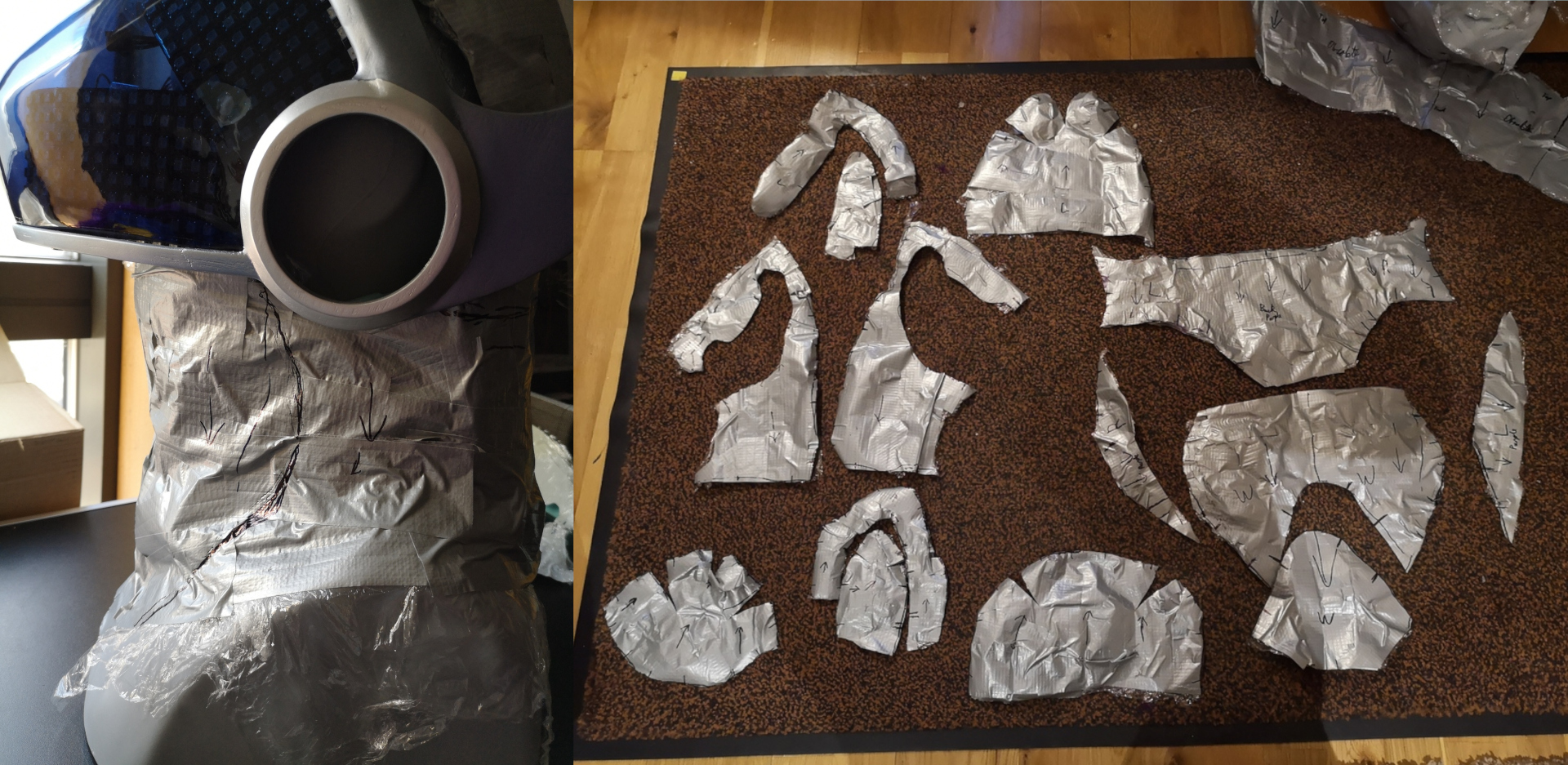
Images courtesy of Sofox
You make a large sock or balaclava out of fur, with the ears sewn on it and a gap for the visor which terminates with a and a nice long fluffy neck piece to cover the throat and chest.
Finally, you push the sock onto the protogen helmet and at this point you can glue the fur down onto it, like so:

Images courtesy of Sofox
...Of course, I did none of these things.
My first act was to hot-glue the ears to the helmet via the tabs I had made for that purpose. One of them was a bit too short and I think I quickly bodged something to lengthen it, but it was done. The ears were slightly off alignment but by that point we were very firmly in the "protogen made from sawdust, string and patches" mindset so I didn't care.
For the hair, I took the long-pile fur and used a tape measure to roughly measure the width of a strip that would run between the ears. I suspect I cut it slightly wide to give myself more leeway and trimmed it down to size when it was laid over the head, such that the fur would brush nicely from front to back.
Once I had the size right, I hot-glued it onto the head. This then left a gap under the ears, so I cut smaller strips and hot-glued those next to it, on the assumption that brushing the fur would hide the seams, which it did.
The final thing I did for furring the head was to try and make a chin/neck covering out of my remaining fur. This never quite worked because to be honest, I didn't really know what I was doing. When the protogen was debuted I never ended up using the neck fur anyway.
What I did instead was to take a small sleeve of fur and a zip. I measured the circumference of my neck and made a neck-sleeve out of the fur, careful to ensure that it brushed downwards. With a balaclava on my head and the neck-sleeve in place it covered most of my human skin and this is generally how I have been wearing the suit ever since.
Hands
As mentioned, I was spurred on to complete mine by Sofox having his Protogen at Confuzzled 2022. Once I had the head in reasonable shape, I looked to the problem of arms and hands.I remembered that he had made some quick-and-dirty arms for his protogen, using PVC gloves to provide shiny black protogen claws. Fortunately I had photos of Sofoxgen to refer to, so I reverse-engineered his project. What he'd done was basically make two sleeves - essentially tubes of fur - and cut a thumb hole at the end. With the correct positioning, you do end up with a sort of furry hand with long claws.
While Sofox had carefully measured and sewn his sleeves together, I just grabbed some of the short fur, rolled it around my arm to get a rough measurement and hot-glued it together. The glue felt a little awkward and lumpy but it did the trick.
Later down the line, as the protogen started to take shape, I had some art of him drawn wearing gloves. So I ordered a pair of leather gauntlets from ebay. This worked quite nicely as an alternative to the PVC claws - you can just ignore the thumb hole, pull the sleeve back further and wear the gloves over it.
The one and only problem with this was that the cheap gauntlets didn't have very solid dye. So after an hour of being a protogen during his debut convention, my hands had got sweaty and the black dye ran. It also turns out that dye for making leather gauntlets black is also pretty good at making living skin turn black too. For subsequent conventions I brought disposable vinyl gloves to wear under the gauntlets and the problem went away.
I did also commission Sofox to make some properly sewn sleeves in black fur and he did a great job.
Name
Up to this point the costume was just referred to as "The Protogen". Or sometimes "An abomination held together with hot glue and wishful thinking". This had to change.Picking a name was a real problem as I didn't have a character to begin with. The System Shock logo made me seriously consider 'Diego' after the renegade corporate executive who caused the disaster in that game, but I felt it gelled a lot better with the jaguar character I had been working on around the same time.
Looking back at the faulty protogen concept, I considered 'Glitch' for a couple of seconds until a search on Furaffinity showed that there were approximately 250 individual protogens using that name already. So after a little work with a theasaurus and double-checking with FA, I settled on 'Quirk'.
Scotiacon debut
Quirk's first outing was at Scotiacon 2023. The theme was video games so I programmed his visor to randomly display a game of Defender. This convention was great fun and also helped show some of the weaknesses with Quirk's design.PIC
Firstly, I had used Dupont connectors to link all his LED matrices together on the basis that they would be easy to fix in the field. However, they turned out to be a liability in that would easily work loose and cause random issues with one side of his face going blank or otherwise malfunctioning.

Oops.
The other major problem was with the power distribution board in his cheek. This used a screw-in terminal to connect a USB power bank to the main power board. At one point it fell out of the costume and the force managed to snap the connecting wires so the severed ends were left inside the terminal block. This meant stripping and resoldering the end of the USB cable in the hotel room which was not fun.
When I got home I made two major changes. Firstly, I reworked the power input so that the terminal block had a thick cable leading to a Wago connector, the plan being that any dropped USB pack would then simply pull the wires out of the Wago connector which could be far more easily reset than a tiny piece of veroboard and tiny terminal screws.
By this time I had also discovered that the maximum of 8 matrices per SPI bus was in actual fact wrong, though it turns out I'm far from the only person who believed this. As a result, I redesigned Quirk's face to run all 14 matrices in a single bus without using parallel CS lines to switch sides. While I was doing this, I rewired the entire display system for his face to use point-to-point soldering instead of pluggable connectors. He has since been to Confuzzled and Anthrocon and didn't suffer any further display failures.
I should also mention that installing the Synth software on Quirk by accident did not end well.

Bleh.
New cheeks
Another thing which needed fixing in the wake of Scotiacon was the fact that the OLED displays in his cheeks were simply too dim to see except in dark conditions.An approach I was looking at was to return to the idea of 3D-printing a mask and have a circular array of neopixels behind it as a light source, but I could never get the light to diffuse properly. Electroluminsecent panels don't work very well outside, and also require a 100V source to run, which means a bulky inverter circuit that will constantly whine at 2 KHz or so.
In the end, I removed the OLED panels entirely and installed another pair of LED matrices, one on each cheek. Since these are 8x8 displays, making them render complex objects like the Trioptimum logo was out of the question. Also, by this point the System Shock remake had been released, so what had been a fairly obscure design suddenly became more widely-known.
So at this point I ditched the Tri-op logo entirely and made them display random noise as his symbol. In a twist of fate, one of the matrices has actually faulted out and tends to display a square with one line missing. Given that he is intended to be glitchy I have not tried very hard to fix this.
Having 8x8 LED matrices also meant that I could program them to change shape when certain expressions are displayed. As a result, they display a crude approximation of the Tri-Op logo during boot, before switching to noise. When he randomly flashes "KiLL" on his eyes, the cheek logos display a warning symbol.

This setup was used at Confuzzled 2023 and Anthrocon 2023 as well. So for an "abomination held together with hot glue and wishful thinking" he's holding together pretty well and has been even more fun to wear than I had anticipated when the project began.
Hints, or "You know, I learned something today!"
To summarise, the most important things to keep in mind when doing this are:
- Unless you've already made five of these things before, it won't be perfect. But that's okay. Most people won't notice the flaws.
- When working with fur, note that it has a preferred direction to be brushed in. Make sure that the fur is oriented correctly with this in mind! Typically you want to be able to brush downwards and forwards. With the hair you probably want to brush from front-to-back.
- Hot glue sticks that are translucent or white tend to glow under UV light. This may cause the protogen's seams and joins to turn brilliant white on the dance floor or pale blue in sunlight. Black hot glue sticks don't seem to do this - at least the ones I bought don't. If you have a UV light handy, it's a good idea to test before using them in earnest.
- It's strongly recommended to install the electronics after the helmet has been painted, otherwise you'll have to mess around with masking tape to protect the displays from the primer and paint.